Who's Who in AI: A No-Nonsense Guide to the Big Four
ChatGPT, Claude, Gemini, or Perplexity? Here is the honest breakdown of which tool you should actually use (and when to pay).
Who's Who in AI: A Guide to the Big Four
If you feel overwhelmed by the number of AI companies out there, you are not alone.
In the beginning, there was just ChatGPT. It was the only game in town. Usage was simple: you went to the website, typed a question, and got an answer.
Today, the landscape looks more like the soda aisle at a supermarket. You have Coke, Pepsi, Dr. Pepper, and fifty varieties of artisanal root beer. They are all "soda" (or LLMs), but they have very different flavors.
Prioritizing the right tool for the right job is the difference between frustration and magic. Here is your cheat sheet for the Big Four.
1. OpenAI (ChatGPT / GPT-5.2)
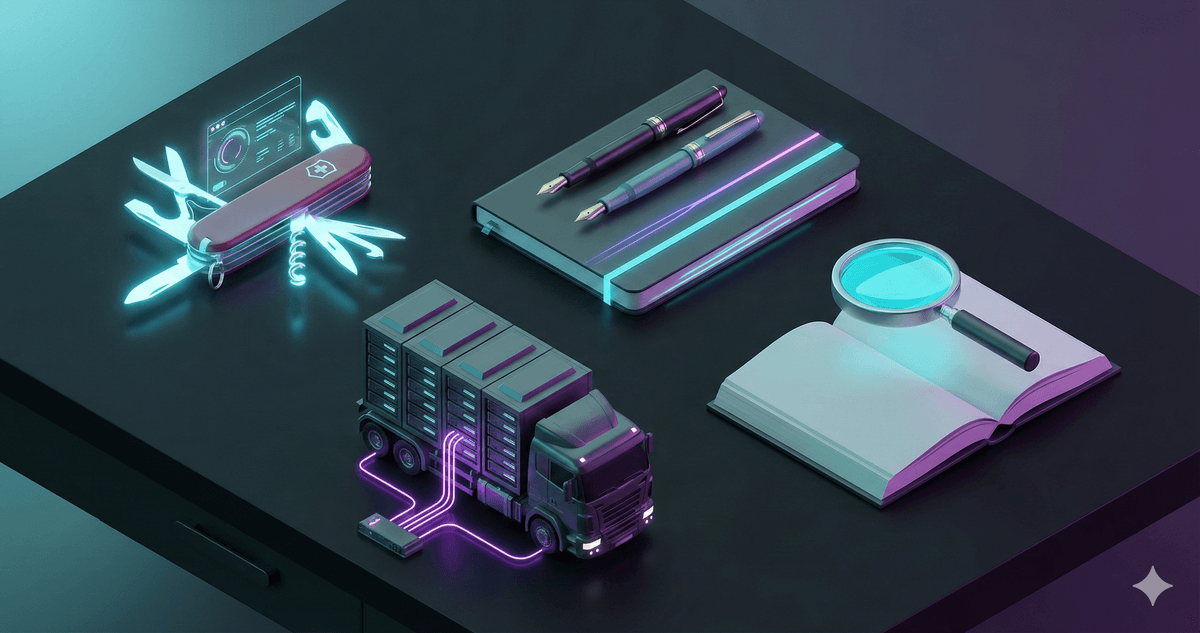
The Vibe: The Swiss Army Knife.
OpenAI kicked off this revolution, and in 2026, ChatGPT is still the "iPhone" of AI. It is polished, user-friendly, and good at almost everything.
- Best For: Daily tasks, voice interaction, and image generation. Its "Advanced Voice Mode" is basically sci-fi—you can interrupt it, and it detects your emotional tone.
- The Downside: Because it tries to do everything, it can sometimes feel a bit generic. It has a very distinct "AI Voice" (lots of "delve" and "tapestry") unless you coach it out of him.
Use it when: You want a quick answer, you want to talk out loud while driving, or you need a "good enough" draft of an email in 5 seconds.
2. Anthropic (Claude 4.6 / Sonnet)
The Vibe: The Craftsman.
If ChatGPT is a loud, confident extrovert, Claude is the quiet, thoughtful writer in the corner. Built by former OpenAI employees who wanted a safer, more steerable system, Claude has become the cult favorite for power users.
- Best For: Writing, coding, and nuance. Claude tends to write more like a human and less like a marketing brochure. It follows complex instructions (like "don't use bullet points" or "mimic this specific tone") better than anyone else.
- The Downside: It lacks some of the bells and whistles. No native image generation (yet), and its voice mode isn't as conversational as GPT's.
Use it when: You need to write something that actually sounds like you, or you are trying to solve a complex coding problem.
3. Google (Gemini 3 Pro)
The Vibe: The Heavy Lifter.
Google was late to the party, but they brought the biggest truck. Gemini's superpower is its "Context Window"—the amount of information it can hold in its head at once.
- Best For: Big Data. While other models might choke on a 50-page PDF, Gemini can read 10 novels, watch an hour-long video, and analyze your entire Google Drive in one go. Because it functions within the Google ecosystem, it can pull data directly from your Docs, Gmail, and Drive.
- The Downside: It can sometimes be a bit "preachy" or overly cautious with safety filters.
Use it when: You have a massive amount of information (files, videos, recordings) that you need to summarize or search through.
4. Perplexity
The Vibe: The Librarian.
Perplexity isn't a model provider like the others; it's a "Answer Engine." It uses other models (like GPT and Claude) to search the live internet for you.
- Best For: Facts. When you use ChatGPT, it is guessing based on its training data. When you use Perplexity, it goes to Google/Bing, reads the top 10 results, and summarizes them for you with citations.
- The Downside: It’s not great for creative writing. It’s strictly for information retrieval.
Use it when: You would normally use Google Search. "What are the best Italian restaurants in Chicago?" or "Summarize the news from yesterday."
The Upgrade Question: Do I Need to Pay?
The short answer is: Probably not yet.
The free versions of these tools are incredibly powerful. In 2026, the "Free Tier" is smarter than the "Paid Tier" was in 2024. Most people can go months without ever needing a credit card.
However, each company has a "trap door" that forces you to upgrade. Here is when it’s worth the $20/month:
- ChatGPT Plus: Upgrade if you want the Advanced Voice Mode (the one that sings and whispers) or if you generate a lot of images. The free version gives you a taste; the paid version gives you the full meal.
- Claude Pro: Upgrade if you hit the message limit. Claude's free tier is notoriously stingy. If you are having a long, deep coding session and it suddenly says "You have 5 messages left," it's time to pay.
- Gemini Advanced: Upgrade if you live in Google Workspace. The paid version integrates directly into your real Docs and Drive, essentially becoming a coworker who can read your private files.
- Perplexity Pro: Upgrade if you are a Power Researcher. The paid version lets you switch between models (e.g., use Claude's brain with Perplexity's search) and upload unlimited files.
The Strategy: Start free. Use it until you hit a wall. Only pay when the tool has proven it saves you more than $20 worth of time.
Free vs. Paid: Where is the Wall?
| AI Model | Free Version Limit | Paid Version ($20/mo) |
|---|---|---|
| ChatGPT | Limited Voice. You get a few minutes of "Advanced Voice" per month. No DALL-E image generation. | Unlimited Voice. Talk as much as you want. Unlimited images. |
| Claude | Very Strict. You get ~10 messages every 4 hours. It feels very restrictive. | 5x Usage. You can work for hours without hitting the limit. |
| Gemini | Flash Model. Fast, but dumber. Good for summaries, bad for complex math. | Pro Model. The smartest brain + 2TB of storage for your files. |
| Perplexity | 5 Pro Searches. You can only use the "smart" search 5 times a day. | 300+ Searches. Basically unlimited powered research. |
| Perplexity | 5 Pro Searches. You can only use the "smart" search 5 times a day. | 300+ Searches. Basically unlimited powered research. |

The "Cheat Sheet"
Here is the practical breakdown. Match your real-world task to the right AI:
| If you need to... | Use this AI | Why |
|---|---|---|
| Do your taxes (organize receipts, find deductions) | ChatGPT or Claude | ChatGPT for voice input while sorting papers. Claude for analyzing complex tax documents. |
| Make a grocery list from recipes | ChatGPT | Fast, conversational, and can handle voice input while cooking. |
| Write a resume or cover letter | Claude | Writes more naturally and follows tone instructions better. |
| Brainstorm business ideas | ChatGPT | Creative, fast, and great for rapid-fire ideation. |
| Summarize a 100-page PDF (contract, report) | Gemini | Massive context window handles huge files without breaking. |
| Code a website or app | Claude | Best at following complex coding instructions and debugging. |
| Fact-check a news article | Perplexity | Searches the live web and cites sources. |
| Plan a vacation (flights, hotels, itinerary) | Perplexity | Searches real-time prices and availability. |
| Learn a new subject (history, science, language) | ChatGPT | Conversational, patient, and great for voice-based tutoring. |
| Analyze your spending habits (from bank CSV) | Gemini or ChatGPT | Gemini for huge files. ChatGPT for quick insights. |
| Generate images (logos, illustrations) | ChatGPT | Built-in DALL-E integration. |
| Proofread a long document | Claude | Catches subtle grammar issues and maintains your voice. |
The Rule: When in doubt, start with ChatGPT. It's the most versatile. Switch to the others when you hit a specific limitation.
Conclusion
Here is the most important rule: There is no wrong choice.
The only way to fail is to choose nothing. The world of AI is moving so fast that waiting for the "perfect" tool just means falling further behind.
Pick one. Play around with it. If you don't like it, cancel your subscription and switch to the other one next month.
Don't let the fear of picking the "wrong" bot stop you from starting. Just pick one and start dancing.
Coming Next: Decoding the Jargon
You have probably noticed words like "Pro," "Flash," "Sonnet," and "Opus" attached to these names.
What is the difference between a Pro model and a Flash model? Is GPT-5.2 really that much better than GPT-4?
In our next Foundations article, we will break down exactly what these version numbers mean and how to read the "spec sheet" of an AI.
Don't just read about it. Try it.
You understand the concept. Now see how it works in the real world with this step-by-step guide.
Build Your AI Tool Belt
Want to keep learning?
Get our free AI Starter Kit — 5 lessons delivered to your inbox.
Join readers learning AI in plain English. No spam, ever.